Take the strategy to your broker
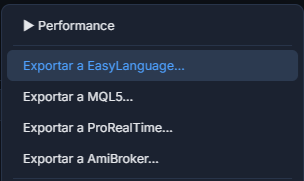
AniQuant translates any concrete strategy for six trading platforms, with the code ready to paste. The export starts from the actions menu of any strategy (for example, right-click in the Laboratory ranking → Export…), from the Portfolio (the Export buttons) and from Export ▾ in the AQL Editor.
All six exports add to the header, as a comment, the block THE STRATEGY IN PLAIN WORDS: the same sentences as the Strategy tab in Performance — when it buys or sells, the order, when it exits (target and stop converted to points, ticks and dollars with the last price in the data file, which is stated) and the other rules. Whoever opens the code in TradeStation, MetaTrader or any other platform knows what it trades without reading the code. In the program’s language.
A strategy with Next Bar orders, Wilder's ATR computed by hand (to reproduce AniQuant exactly) and TP/SL inputs. .eld extension.
A complete Expert Advisor (OnTick, CTrade), robust in sending orders (it normalizes the lot, prints the retcode). The ATR, Keltner bands, ADX and MACD signal are computed as in AniQuant (Wilder / exponential), not with MetaTrader's simple averages. .mq5 extension.
ProBuilder/ProOrder code with SET TARGET / SET STOP and a counter of bars in the trade. .txt extension.
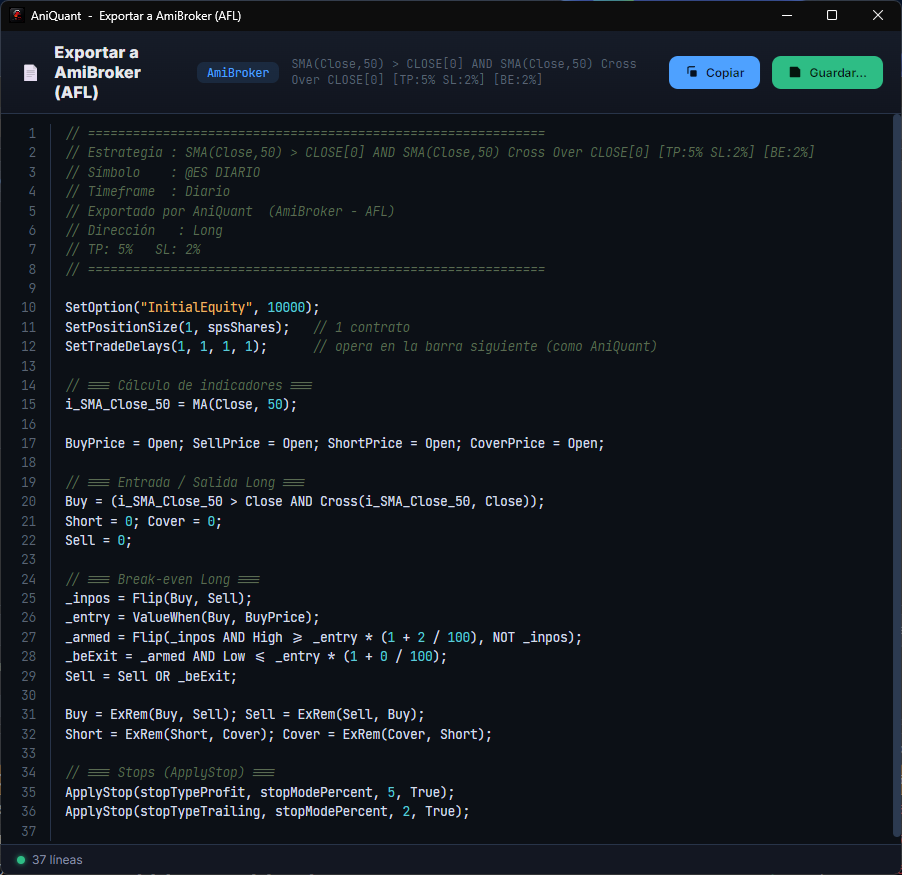
An AFL formula with the catalog's indicators translated, SetTradeDelays to trade on the next bar and native stops via ApplyStop. .afl extension.
A strategy with strategy.entry / strategy.exit that enters at the open of the next bar, just like the AniQuant engine. Note: TradingView does not accept your own data, so its backtest figures will not match AniQuant's (a different series, a different history depth depending on your plan). Use it to see the strategy on the chart and to trade it, not to verify numbers. .pine extension.
A NinjaScript strategy that decides at the bar close and enters at the next bar's open, like AniQuant. It translates TP/SL, trailing, break-even, time exit, Position Size, OR groups and long/short with reversal. To install it: in NinjaTrader, New → NinjaScript Editor; in the Strategies folder, New; paste the whole code over the one that appears and compile with F5. .cs extension.
All 92 indicators, other markets and other timeframes
All six platforms export the 92 indicators in the catalog (MFI, PSAR, SuperTrend, ValueChart, the anchored average and the RSI, ATR, ROC and volume percentiles included). And strategies that read reference series (Close of vix < 20) or conditions on another timeframe (RSI(Close,14) @H1 > 50) are translated into each platform's own mechanism:
Each series (or own timeframe) becomes Data2, Data3… The code header says which symbol to insert in the chart, with your data provider's name (e.g. $VIX.X). A few indicators (ATR, Keltner, percentiles) cannot yet be exported on another series: you are told which.
SetForeign + TimeFrameSet and TimeFrameExpand(…, expandLast), with no indicator left out. The symbol must exist in your AmiBroker database under that name.
request.security, with the symbol as a script setting: enter TradingView's own (e.g. CBOE:VIX). On a timeframe higher than the chart's it uses the non-repainting form, which on the last bar of each period is one bar more conservative.
The symbol is an EA parameter (its name at your broker) and each series reads its last closed bar. Crossovers and the indicators MT5 does not ship with (Keltner, MACD histogram…) are not exported on another series: you are warned.
AddDataSeries, with the instrument's name in your NinjaTrader (e.g. ^VIX). Change that name in the code if your installation calls it something else.
Other timeframes go in TIMEFRAME(daily, UPDATEONCLOSE) blocks, with the chart on a lower timeframe that it is a multiple of. ProRealTime does not allow reading another symbol inside a strategy: with reference series it warns and does not export.
On every platform the other series only contributes bars that have already closed, as in AniQuant. Before, a condition such as RSI(14) @H1 > 50 was silently exported on the chart's timeframe; now it is translated or, if the platform cannot do it, you get a warning instead of wrong code.
The Exit Engine travels with the strategy
The trailing, break-even and time stop are emitted on all six platforms, each in its native idiom:
The stop is recomputed bar by bar (peak and break-even variables); the time stop uses the native BarsSinceEntry.
PositionModify moves the stop every bar (trailing and break-even); the time stop counts bars and closes.
The trailing replaces the SET STOP with a manual exit against the peak; break-even and time stop with barssinceentry.
Native ApplyStop for TP/SL/trailing/time stop; the break-even with Flip/ValueWhen.
strategy.exit for TP/SL; the trailing is converted from % to ticks (trail_offset), which is why it is approximate, and its activation is trail_price; break-even and time stop with strategy.close.
SetProfitTarget / SetStopLoss (they already protect the entry bar); trailing with SetTrailStop; break-even by moving the stop; time stop with BarsSinceEntryExecution.
The AQL Language reflects the exits and re-compiles them (a round trip):
breakeven: 3% offset 1%
timestop: 20
sessionexit: end
- ·The TP/SL and the exits are exported assuming a percentage; if your SL is in amount or ATR, the code carries a warning comment.
- ·Long+short reversal strategies (seasonal ones) export the entry but not the break-even/time stop.
- ·An export is a faithful reproduction, not tick-identical: always validate on the platform before trading it for real.
🔒 Protecting the strategy so you can sell it
What you create with a registered licence is yours and you may sell it (clause 6.2 of the licence; not what was obtained during evaluation). To sell it, the buyer must not be able to pass it on: the Protect for sale… button in the code window adds a lock to the exported program that ties it to specific accounts and an expiry date. It is always applied to the original code, so you can change the details and protect again without locks piling up, or remove it with Remove protection.
Authorised account numbers, demo only, real only or both, expiry date (the broker server's time) and whether it may run in the Strategy Tester. The details go in as constants, not as inputs the buyer could change. Distribute only the .ex5 compiled in MetaEditor (F7), never the .mq5.
Authorised accounts (text, for example SIM1234567F), expiry date (the PC's and the bar's) and whether backtests are allowed: the account is only enforced when it trades automatically. No demo/real distinction. Distribute it without source code: in TradeStation, a protected ELD; in MultiCharts, exported without source code.
Authorised accounts (for example Sim101), demo or real, expiry (the PC's and the bar's) and whether backtests are allowed. If it locks in real time, it cancels the orders, closes the position, disables the strategy and explains why in the Log. Distribute the compiled assembly, never the .cs.
On these three platforms the code is shared in the clear, so a lock written in it could be removed by deleting a line. The panel explains each alternative: on TradingView, publish the script as «Invite-only» (a Premium account is needed) and grant access to each buyer, with an expiry; on ProRealTime, its Marketplace or exporting with a single import (hidden code cannot trade in ProOrder); on AmiBroker, compile the logic into a DLL with its development kit (ADK).
Exports fixed
- ·Single-direction strategies (entry long:) lost TP, SL, trailing, break-even and time exit in EasyLanguage, MQL5 and ProRealTime, and the whole exit in AmiBroker and Pine. They now carry the complete logic.
- ·AmiBroker is generated as a bar-by-bar loop that mirrors the engine: it reproduces AniQuant's trades exactly.
- ·MQL5, ProRealTime and Pine counted BarsSinceEntry one bar too many. Fixed, the time exit too. In Pine, the CCI is now computed on the typical price, like AniQuant.
- ·In long + short, if the exit and the opposite signal coincide, it reverses, like the engine. In EasyLanguage, MQL5 and ProRealTime, TP, SL and time exit are not yet applied in long + short: the code says so.
- ·MFI, PSAR and SuperTrend were not exported to any platform, nor the percentiles to MetaTrader 5, ProRealTime, AmiBroker and TradingView: the code came out with "Indicator not supported" and did not compile. All six now export the 86 indicators.
- ·Conditions on another timeframe (@H1, @D1…) were exported on the chart's timeframe, without warning. They are now translated (see above).
AniQuant can be tried free for 14 days, with every module and no card. If you have the book, 30.